
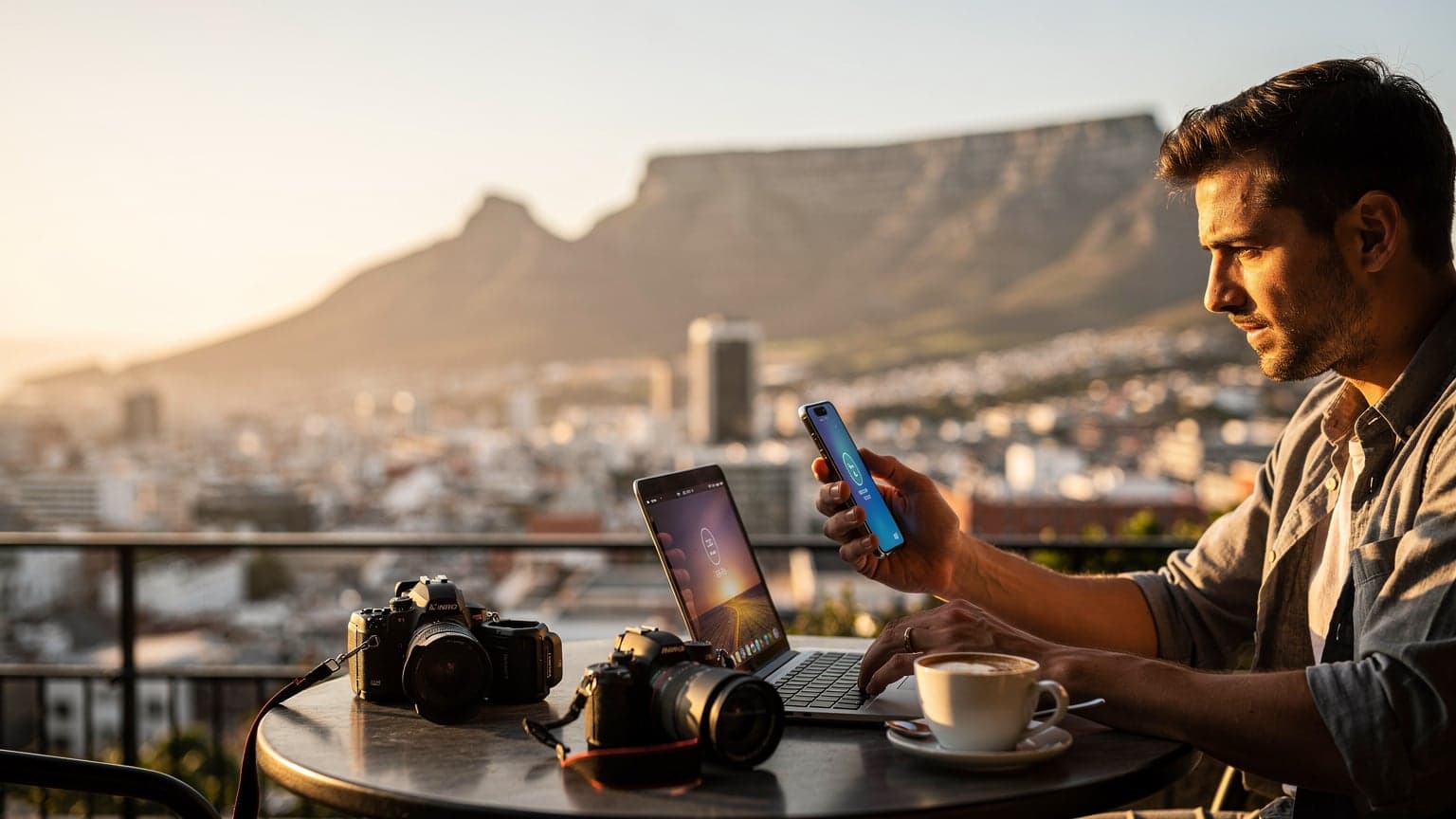
Cape Town Data Crunch, How Much Do You Really Need?
Let's be blunt, if you're a content creator or a serious digital nomad, 10GB isn't going to cut it in Cape Town. I've seen too many folks try to skimp and end up scrambling for Wi-Fi at a Starbucks, burning valuable time that could be spent exploring Hout Bay or working from a café in Gardens. My last month-long stint in Cape Town, which involved daily video calls, uploading 4K drone footage from Chapman's Peak, and a couple of live streams from the V&A Waterfront, chewed through about 65GB of data. That's a solid 2.1GB per day on average. If you're doing similar heavy lifting, you're looking at needing a minimum of 50GB for a typical 30-day stay, possibly more if you're deep into video editing or uploading large files to cloud storage.
Think about the math. A 10-minute 4K video upload to YouTube can be 1-2GB alone. A two-hour live stream? Easily 3-5GB. Add in routine browsing, Google Maps, WhatsApp calls, and maybe some Netflix in the evening (because even digital nomads need downtime), and that 50GB benchmark starts to feel less like a luxury and more like a necessity. I've budgeted around €40 for data for a month, which works out to about €1.30 a day for peace of mind. That's cheaper than a single coffee at a trendy spot in Bree Street.
Calculating Your Daily Data Needs
Before you even land at CPT, get a rough estimate of your data consumption. It's not rocket science, just honest tracking.
- Video Uploads, High Resolution: If you're uploading 1080p, budget 1-1.5GB per 10 minutes. For 4K, it's 2-3GB per 10 minutes. Multiply by your average daily output.
- Live Streaming, HD: A solid 720p stream can eat 1.5-2GB per hour. 1080p will push that to 2.5-4GB per hour.
- Video Calls (Zoom, Google Meet): Expect 0.8-1.5GB per hour for good quality.
- General Browsing & Social Media: This is surprisingly low, maybe 0.2-0.5GB per day unless you're watching a lot of embedded videos.
- Maps & Navigation: Minimal, usually under 0.1GB per day for active use.
Add those up, multiply by your trip duration, and you'll get a sensible number. Don't round down.
The Hidden Costs of Under-Budgeting Data
Running out of data isn't just an inconvenience, it's a productivity killer. I once had a client project deadline looming and my 20GB plan (a rookie mistake, I admit) ran dry while I was trying to upload a crucial file from a guesthouse in Muizenberg. The nearest top-up point was a 30-minute Uber ride away, costing me not just the Uber fare but also two hours of work time. That's money lost, plain and simple. Imagine missing a crucial live stream because you're tethered to slow, unsecured hostel Wi-Fi. The reputational damage alone isn't worth saving a few euros on data.
eSIM vs. Local SIM, The Real Cost for Creators
Okay, let's talk brass tacks. You have two main options for data in Cape Town, a local physical SIM or an eSIM. I've done both, and for a creator, the eSIM almost always wins, despite a slightly higher upfront cost in some cases. Why?
Local SIMs in South Africa, particularly from carriers like Vodacom or MTN, are readily available. You can pick one up at the airport, or any major mall (Canal Walk, V&A Waterfront) for around R50-R100 (€2.50-€5). Data bundles are decent, with 50GB lasting 30 days costing roughly R500-R700 (€25-€35) on a prepaid plan. So, yes, theoretically cheaper. But here's the catch: RICA registration. You need your passport, proof of address (a hotel booking confirmation usually works, but sometimes they get finicky), and time. I've spent anywhere from 15 minutes to an hour navigating that process. Time is money, especially when you're on a tight schedule.
With an eSIM, it's typically a 5-minute setup from your phone, before you even leave home. No queues, no paperwork, no wondering if your passport photo will be accepted. For a creator, that immediate connectivity upon landing means you can grab an Uber, check messages, and even upload a quick story to Instagram without hunting for Wi-Fi. That convenience, for me, is worth an extra €5-€10.
| Feature | eSIM for Cape Town | Local Physical SIM (Vodacom/MTN) |
|---|---|---|
| Activation Time | 5-10 minutes, anywhere | 15-60 minutes, in-store only |
| Required Documents | None (already verified by provider) | Passport, proof of address (RICA) |
| Cost for 50GB (approx. 30 days) | €35-€45 | €25-€35 (excluding time/transport) |
| Flexibility | Multiple plans, easy top-ups, multi-country options | Single carrier, top-ups via voucher/app, country-specific |
| Risk of Loss | Minimal (digital) | Physical SIM card can be lost/damaged |
The Unbeatable Convenience Factor
Remember that feeling of landing in a new country, phone dead, desperately looking for an ATM and then a SIM card shop? With an eSIM, that's history. I activate mine on the tarmac, often while waiting for the plane door to open. By the time I'm off the plane, I'm already connected, navigating to my Airbnb in Sea Point, and letting my clients know I've landed. No fumbling with ejector tools, no language barriers at a Vodacom store. (Though, I will say, the staff at the MTN store in Century City were quite helpful on one occasion, but it still took time.)
For those of us constantly moving between cities or even countries, the ability to switch profiles with a few taps is invaluable. Consider a quick hop over to Namibia or Botswana, then back to South Africa. A multi-country eSIM can cover those short excursions without you needing to buy a new local SIM for each border crossing. It's a lifesaver for complex itineraries.
What About Public Wi-Fi in Cape Town?
Public Wi-Fi exists, of course. Many cafés, restaurants, and hostels offer it. But for a creator, it's a minefield. Speeds are often inconsistent, especially during peak hours. Security is a major concern, particularly if you're handling sensitive client data or logging into banking apps. I've seen too many public networks drop out mid-upload, forcing me to restart a huge file transfer. Plus, the sheer time spent asking for passwords, logging in, and dealing with captchas adds up. Stick to your own reliable connection.
Picking the Right eSIM for Cape Town Creators
Not all eSIMs are created equal, especially when you need serious data. For Cape Town, you're looking for robust coverage and high speeds. South Africa's main carriers, Vodacom and MTN, generally offer excellent 4G LTE coverage in urban areas and along major routes. Smaller players like Cell C and Telkom Mobile exist, but their network infrastructure might not be as expansive or reliable for high-demand tasks.
When choosing an eSIM, prioritize providers that partner with either Vodacom or MTN for their network access. This information is usually available on the eSIM provider's website. If it's vague, ask customer support. A 50GB plan for 30 days is a good starting point for most creators. If your workflow is particularly intense (daily 4K video uploads, constant live streaming), look for 100GB or even unlimited options, understanding that 'unlimited' often comes with a fair usage policy (FUP) that might throttle speeds after a certain threshold (e.g., 50GB or 100GB). Always read the fine print.
| eSIM Plan Type | Ideal User | Estimated Data Range (30 Days) | Key Benefit for Creators |
|---|---|---|---|
| Standard Data (e.g., 10-20GB) | Light browsing, social media, email | 10-20GB | Basic connectivity, but insufficient for content creation |
| Creator Pro (e.g., 50-100GB) | Video editors, streamers, heavy uploaders | 50-100GB | Reliable for daily uploads, HD streaming, video calls |
| Unlimited Data (with FUP) | Extremely high-volume users, backup for studio work | 100GB+ (before potential throttling) | Peace of mind, even if FUP applies after heavy usage |
Checking Network Compatibility and Bands
This is where it gets a bit technical, but it's crucial. South African networks primarily use these bands for 4G LTE:
- Band 1 (2100 MHz): Often used for capacity.
- Band 3 (1800 MHz): Core LTE band, good for speed and coverage.
- Band 8 (900 MHz): Excellent for rural coverage and building penetration.
- Band 40 (2300 MHz): TDD-LTE, often used for additional capacity in urban areas.
Most modern smartphones, especially those from the last 3-4 years, support these bands. However, if you have an older device or a less common model, double-check its specifications against these bands. Your eSIM provider should leverage these networks, so ensuring your phone supports them means you'll get the best possible speeds. My iPhone 15 Pro Max, for example, handles them all without a hitch.
The Advantage of Regional eSIMs
If your Cape Town trip is part of a larger Southern Africa adventure, look into regional eSIMs. These often cover South Africa, Botswana, Namibia, and sometimes even other countries like Zambia or Zimbabwe. While potentially slightly more expensive per GB than a single-country plan, the ability to seamlessly cross borders without changing eSIMs or buying new local SIMs is a huge time-saver. Imagine driving through the Cederberg Mountains, then deciding to pop into Namibia for a week, and your data just keeps working. It's truly a game changer for flexible travel.
Optimizing Your eSIM for Maximum Performance
Having a high-data eSIM is one thing, but making sure you're getting every last megabit per second out of it is another. For content creators, speed and reliability are paramount. There are a few tricks I've picked up over the years to squeeze every drop of performance from my connection.
Prioritizing Your eSIM for Data
If you're using a dual-SIM phone (physical SIM + eSIM, or two eSIMs), ensure your data connection is set to your high-speed eSIM. On iPhones, go to Settings > Cellular > Cellular Data and select your WorldESIM profile. For Android, it's typically Settings > Network & internet > SIMs, then choose your eSIM for mobile data. This simple step prevents your phone from defaulting to a slower or less reliable connection, or accidentally using expensive roaming on your home SIM.
Managing Background App Refresh and Data Hogs
Even with 50GB+, it's smart to manage your data. Background app refresh can silently consume gigabytes, especially if you have cloud sync services (Google Photos, Dropbox, iCloud) running constantly. On iOS, go to Settings > General > Background App Refresh and turn off apps you don't need constantly updating. For Android, check Settings > Network & internet > Data usage > App data usage to identify and restrict data-hungry apps. (I learned this the hard way when Google Photos decided to upload 20GB of video in the background overnight.)
Using a VPN Wisely
A VPN is crucial for security, especially when working remotely. However, some VPNs can introduce significant speed overhead. Choose a reputable VPN service with servers located close to South Africa (e.g., in Johannesburg or even Europe if latency is acceptable). Test different servers to find the fastest connection. For critical uploads or live streams, consider temporarily disabling your VPN if speeds are suffering, but only if you're on a secured network and understand the risks. I personally only disable it if I'm uploading to an already encrypted platform like Google Drive.
Border Crossing and Re-entry, eSIM Flexibility
This is where eSIMs truly shine for the adventurous creator. Imagine you're wrapping up a project in Cape Town, but have a side quest planned to film wildlife in Botswana or explore the dunes of Namibia. With a physical SIM, you'd be looking at a new purchase, another RICA registration, and a potential loss of your South African number if you don't keep it active. With an eSIM, particularly a regional one, these headaches vanish.
When I drove from Cape Town to Windhoek, Namibia, last year, my WorldESIM Southern Africa plan transitioned seamlessly. As soon as I crossed the Vioolsdrif border post, my phone registered with the local Namibian network (MTC, in this case) and data just kept flowing. No downtime, no stress. This is particularly useful for creators who might pop back and forth between South Africa and its neighbours, perhaps for a quick weekend shoot in Lesotho or Eswatini. The convenience saves not just time, but also mental bandwidth, allowing you to focus on your content, not your connectivity.
Managing Multiple eSIM Profiles
Most modern phones allow you to store multiple eSIM profiles. This is fantastic. You can have your home country's eSIM dormant for calls/SMS only, your Cape Town eSIM active for data, and perhaps another regional eSIM ready for your next destination. This means:
- Label Your eSIMs Clearly: In your phone's settings, rename them to 'SA Data', 'Home SIM', 'Namibia Backup' to avoid confusion.
- Set Data Priority: Always ensure your active data plan is the one you intend to use for your current location.
- Toggle On/Off as Needed: If you're only using one eSIM for data, you can temporarily disable others to conserve battery or avoid accidental usage.
Troubleshooting Common eSIM Headaches
Even seasoned digital nomads hit a snag sometimes. While eSIMs are generally reliable, issues can arise. Knowing how to quickly diagnose and fix them can save you hours of frustration and potential missed deadlines. I've been there, staring at a 'No Service' message in the middle of a picturesque but remote location near the Drakensberg, wondering if my perfectly planned content schedule was about to unravel.
When Your eSIM Refuses to Connect
This is the most common issue. Here's a step-by-step troubleshooting guide:
- Check for Network Coverage: Are you in an area known for poor signal? Use a local friend's phone or a different carrier's coverage map online to verify.
- Restart Your Device: The classic fix. Sometimes your phone just needs a fresh start to register with the network.
- Toggle Airplane Mode: Turn it on for 30 seconds, then off. This forces your phone to re-scan for networks.
- Verify Data Roaming is ON: For eSIMs, even if you're in the country of purchase, sometimes the underlying carrier agreement requires 'Data Roaming' to be enabled. This won't incur extra charges on a data-only eSIM, but it's often necessary. Go to Settings > Cellular/Mobile Data > [Your eSIM Profile] > Data Roaming.
- Check APN Settings: Your eSIM should auto-configure these, but sometimes manual input is needed. Your eSIM provider's support page will have the correct APN. On iOS, it's Settings > Cellular/Mobile Data > [Your eSIM Profile] > Cellular Data Network. On Android, it's typically Settings > Network & internet > SIMs > [Your eSIM Profile] > Access Point Names.
- Reinstall eSIM Profile: As a last resort, delete and reinstall your eSIM profile. Make sure you have the QR code or manual installation details saved beforehand!
When in doubt, always reach out to your eSIM provider's customer support. They can often see network activity on their end that you can't. Don't waste hours troubleshooting alone.
Slow Speeds and Intermittent Connectivity
If you're connected but speeds are crawling, or your connection drops frequently, consider these points:
- Network Congestion: Are you in a very crowded area (e.g., a festival, major sporting event at Cape Town Stadium)? Networks can get overwhelmed.
- Throttling: Have you hit a Fair Usage Policy limit on an 'unlimited' plan? Check your eSIM provider's terms.
- Location, Location, Location: Are you deep inside a concrete building? Sometimes simply moving closer to a window or stepping outside can make a huge difference.
- Software Updates: Ensure your phone's operating system is up to date. Network drivers are often bundled with these updates.
For more general connectivity questions or common issues, check our FAQ page, it might have a quick solution for your specific device or plan.
Real-World Scenarios, Creators in Cape Town
Let's paint a picture of how a high-data eSIM can make or break your creative workflow in Cape Town. This isn't theoretical; these are situations I've personally navigated or seen fellow creators struggle with.
The Vlogger on Signal Hill
Imagine you're a travel vlogger, perched on Signal Hill, capturing a breathtaking sunset over the city. You've just filmed a 15-minute piece to camera, and you want to upload a teaser to Instagram Reels or YouTube Shorts immediately. Public Wi-Fi is non-existent up there. Relying on a slow local SIM with minimal data means waiting until you get back to your hostel, potentially missing the prime engagement window. With a 50GB+ eSIM, you can quickly offload that footage, edit a quick clip on your phone, and upload it in minutes, capitalizing on the moment.
The Photographer Editing in Kalk Bay
You've spent the morning photographing the colourful fishing boats and quirky shops of Kalk Bay. Back at a cozy café, you want to review your RAW files, do some initial culling, and maybe even upload a few selects to a client portal. RAW files are huge, easily 20-50MB each. If you shot 500 photos, that's 10-25GB of data just for the selects. A robust eSIM allows you to sync these to your cloud storage or client platform without needing to find a café with reliable gigabit fiber. (Most cafés are nowhere near that speed, trust me.)
The Live Streamer at a Local Market
Cape Town's markets, like the Neighbourgoods Market at the Old Biscuit Mill or the Oranjezicht City Farm Market, are vibrant and perfect for live streaming. But they're also busy. If you're trying to share the energy of a local artisan or a street musician in real-time, you need a stable, high-bandwidth connection. Public Wi-Fi here will be overwhelmed. Your eSIM, piggybacking on Vodacom or MTN's robust 4G, provides that dedicated pipeline, ensuring your viewers get a smooth, high-quality feed, not a pixelated, buffering mess.
Future-Proofing Your Cape Town Connectivity
The digital landscape is always evolving. As a creator, staying ahead of the curve is part of the job. Looking forward to 2026 and beyond, a few trends will impact your data strategy in Cape Town.
The Rise of 5G in South Africa
5G is already rolling out in major South African cities, including Cape Town. While not universally available yet, areas like the CBD, V&A Waterfront, and parts of the Atlantic Seaboard already have decent coverage. If your phone is 5G-compatible, an eSIM that supports 5G will give you access to even faster speeds for uploads and downloads, making those massive file transfers almost instantaneous. Always check if your chosen eSIM provider offers 5G access, as some plans might still be limited to 4G LTE. (For example, I recently managed to get 300+ Mbps downloads near the Convention Centre with my 5G-enabled eSIM, which is faster than my home fiber connection in some places.)
Increased Data Demands for Higher Resolution Content
Content resolutions are only going up. 8K video, spatial computing, and more immersive formats will demand even more bandwidth. While 50GB might be sufficient for 2026, don't be surprised if by 2028, creators are routinely looking for 100GB or even 200GB plans. This means regularly re-evaluating your data needs and checking for updated eSIM offerings. The flexibility of eSIMs allows you to upgrade your plan with relative ease, often without needing a new physical product.
The Importance of a Reliable Connectivity Partner
Ultimately, your success as a creator or digital nomad in Cape Town hinges on reliable connectivity. Choosing a reputable eSIM provider that offers excellent customer support, clear terms, and robust network partnerships is paramount. Don't just go for the cheapest option; consider the value of uninterrupted work, security, and peace of mind. Investing in a quality eSIM is an investment in your productivity and your creative output while you're experiencing the incredible energy of Cape Town.