
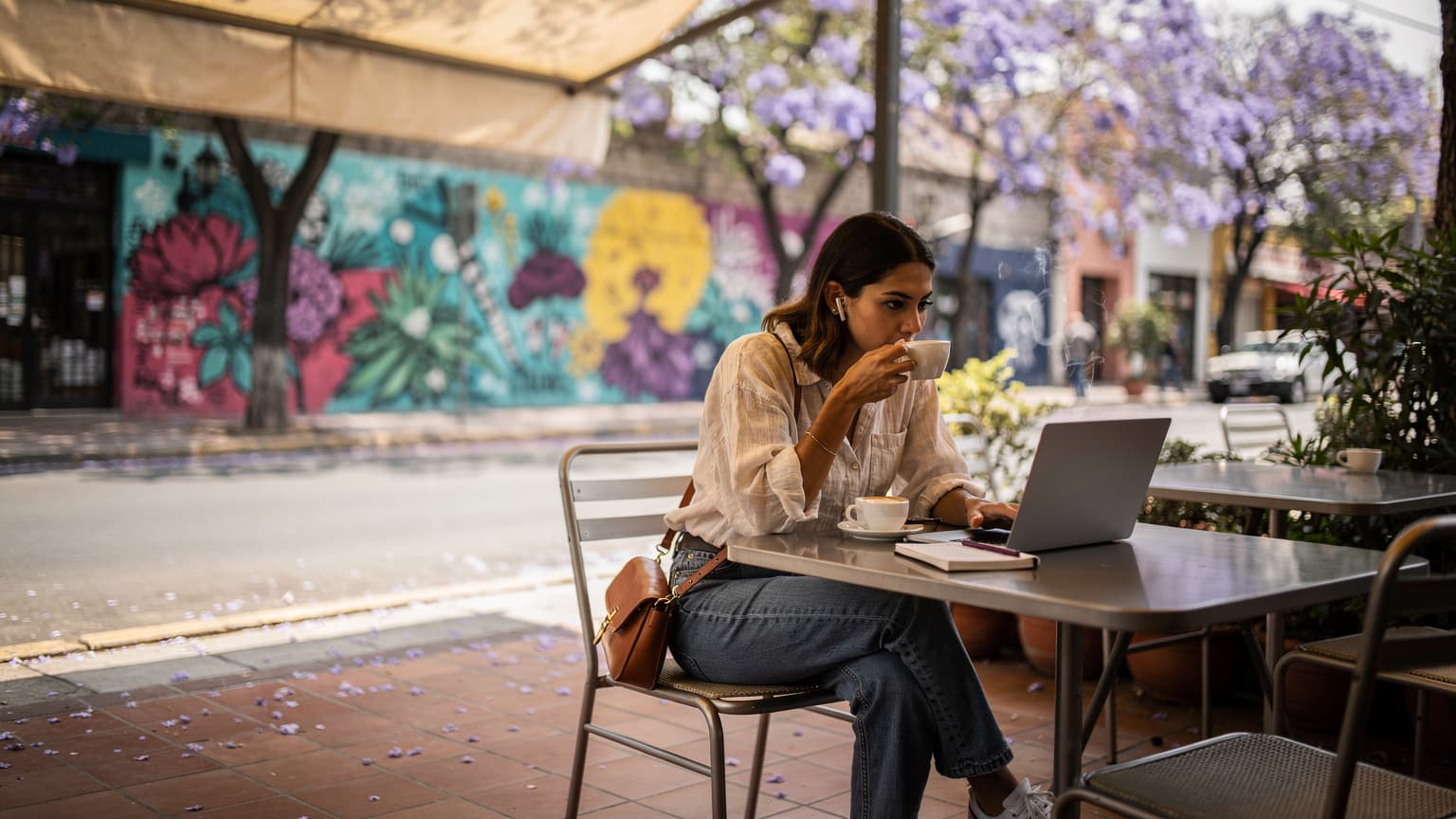
Mexico City's Network Landscape: 2026
Mexico City is a sprawling metropolis, and its mobile network infrastructure reflects both its size and its economic dynamism. For digital nomads and power users, understanding the underlying network is crucial. We're not just talking about signal bars here, but the actual radio access technologies (RATs) and frequency bands that dictate your speeds and reliability.
As of 2026, the primary players, Telcel, AT&T Mexico, and Movistar, have significantly upgraded their networks. Telcel, the largest by subscriber count, boasts the most extensive 4G LTE and 5G footprint. AT&T Mexico has also made aggressive strides, particularly in urban centers, leveraging its global expertise. Movistar, while a strong contender, often plays second fiddle to Telcel in terms of raw coverage depth in more rural or peripheral areas.
For anyone working remotely or streaming high-definition content, carrier aggregation is your friend. This technology combines multiple frequency bands to boost throughput, effectively giving your phone a wider pipe for data. Telcel, for instance, is known to aggressively deploy carrier aggregation on bands like B2 (1900 MHz), B4 (AWS-1, 1700/2100 MHz), B5 (850 MHz), and B7 (2600 MHz) for LTE, providing theoretical peak speeds well over 200 Mbps in dense urban areas. For 5G, expect Non-Standalone (NSA) deployments initially, with Standalone (SA) 5G, or 5G New Radio (NR), gradually expanding on bands like n78 (3500 MHz) and n41 (2500 MHz) in core business districts like Polanco and Reforma.
4G LTE Coverage and Speeds
Across Mexico City's central boroughs, 4G LTE coverage is generally excellent. Expect typical download speeds to range from 30-80 Mbps on Telcel and AT&T in well-covered zones. Uploads usually hover around 10-30 Mbps. These are real-world observed speeds, not theoretical maximums, and are more than adequate for most remote work tasks, including video conferencing on platforms like Zoom or Google Meet.
However, venture into certain older neighborhoods, like parts of Doctores or areas further out towards Iztapalapa, and you might see speeds drop to 10-20 Mbps, especially during peak hours. This is often due to network congestion or cell sites being further apart. Always check carrier coverage maps for your specific intended locations. For example, Telcel's map consistently shows 'Excelente' coverage for Roma Norte and Condesa, with estimated download speeds upwards of 50 Mbps. AT&T's maps are similarly robust for these areas.
5G Rollout and Availability
5G in Mexico City is still in its nascent stages compared to mature markets, but it's expanding. Telcel leads the charge, primarily deploying 5G NR on n78 (3.5 GHz) and n41 (2.5 GHz). These mid-band frequencies offer a good balance of speed and coverage. In areas like Santa Fe, Polanco, and the Benito Juárez borough, I've personally clocked 5G speeds from Telcel exceeding 300 Mbps download and 50 Mbps upload during off-peak times. AT&T is also expanding its 5G footprint, though its coverage tends to be more concentrated in specific urban clusters.
It's important to note that these 5G deployments often rely on the existing 4G core, known as Non-Standalone (NSA) 5G. This means your phone still needs a 4G anchor connection. True Standalone (SA) 5G, which offers lower latency and potentially even higher speeds by having its own dedicated 5G core network, is still quite limited but is the long-term goal for all carriers.
Why 50GB is Your Minimum for Mexico City
If you're a remote worker or content creator, 50GB isn't a luxury, it's a baseline. My experience across various cities, from Bali to Amsterdam, confirms that high-bandwidth activities consume data at an alarming rate. Mexico City is no different. Consider your daily digital footprint:
- Video Conferencing: A typical hour-long Zoom call in HD can consume 1.5-2.5 GB. If you have 2-3 calls a day, that's easily 5-7 GB daily.
- Cloud Syncing & Large File Transfers: Uploading raw video footage, syncing large design files, or backing up photos to Dropbox/Google Drive can quickly eat through gigabytes. A 10GB video upload before a deadline isn't uncommon.
- Streaming Entertainment: After work, unwinding with Netflix in 4K can gobble 7-10 GB per hour. Even HD streaming is 3 GB/hour.
- Tethering: If you're relying on your phone's hotspot for your laptop, all laptop-based data usage contributes. Software updates, web browsing, and background app refreshes add up.
- Navigation & Ride-Sharing: While not massive data consumers, frequent use of Google Maps, Uber, or Didi for navigating Mexico City's vastness adds a few hundred MBs daily.
Factor in occasional software updates, social media browsing, and general web usage, and that 50GB threshold starts to look quite conservative for a month of heavy use. Anything less, and you'll find yourself constantly monitoring data consumption or scrambling to top-up, which can disrupt your workflow. For peace of mind, especially when working on tight deadlines, more data is always better.
Comparing Mexico's Top Carriers for eSIM
Choosing the right underlying network for your eSIM is paramount. While many eSIM providers offer packages for Mexico, they typically piggyback on one of the major local carriers. Understanding their strengths and weaknesses helps you make an informed decision.
| Carrier | Network Focus | 4G LTE Bands | 5G Bands (NR) | Estimated DL/UL Speeds (Core CDMX) | VoLTE/VoWiFi Support |
|---|---|---|---|---|---|
| Telcel | Most extensive coverage, fastest speeds | B2, B4, B5, B7, B28, B66 | n78, n41, n5 | 50-150 Mbps DL, 20-50 Mbps UL | Yes, widely supported |
| AT&T Mexico | Strong urban performance, competitive pricing | B2, B4, B5, B7, B66 | n5, n66 | 40-100 Mbps DL, 15-40 Mbps UL | Yes, good support |
| Movistar | Value-oriented, good secondary option | B2, B4, B5, B7, B28 | Limited, mostly n78 in specific areas | 20-70 Mbps DL, 10-25 Mbps UL | Yes, but less consistent |
Telcel: The Premium Choice
Telcel is often considered the gold standard in Mexico. Their network is generally the fastest and most ubiquitous. For those who absolutely cannot compromise on connectivity, an eSIM utilizing Telcel's network is typically the safest bet. This is especially true if you plan to venture outside Mexico City to places like Puebla or Querétaro, where Telcel's reach truly shines.
AT&T Mexico: A Strong Contender
AT&T Mexico has a robust presence, particularly in Mexico City. Their network often performs very well in areas like Condesa, Roma, and Polanco. If you find an eSIM plan that leverages AT&T, you're likely to have a very positive experience, often at a slightly more competitive price point than Telcel-based options. I've found AT&T's network to be particularly reliable for streaming during evening hours when Telcel can sometimes experience congestion in certain zones.
Movistar: The Value Option
Movistar offers decent coverage and speeds, particularly for general browsing and social media. However, for demanding tasks like 4K streaming or large file uploads, it might not always keep pace with Telcel or AT&T, especially if you're frequently moving between neighborhoods. If your budget is tighter and your data needs are less extreme, Movistar-backed eSIMs can be a viable option, but always cross-reference their coverage maps with your planned itinerary.
Decoding Carrier Bands and Your Phone's Compatibility
This is where my inner telecom engineer gets excited. Your phone's compatibility with local network bands is not just technical jargon, it's the difference between blazing fast internet and a glorified brick. Mexico's carriers operate on specific frequency bands for 4G LTE and 5G NR. If your device doesn't support these, you won't get optimal performance, or perhaps any service at all.
For 4G LTE, the most crucial bands in Mexico are:
- Band 2 (1900 MHz): A primary band for all major carriers.
- Band 4 (AWS-1, 1700/2100 MHz): Widely used for capacity, especially by AT&T and Telcel.
- Band 5 (850 MHz): Often used for broader coverage, particularly in less dense areas.
- Band 7 (2600 MHz): High capacity, frequently used for urban deployments and carrier aggregation.
- Band 28 (700 MHz APT): Newer, often used for extended reach and better indoor penetration.
- Band 66 (AWS-3, 1700/2100 MHz): An extension of Band 4, offering more capacity.
For 5G NR, the key bands are:
- n78 (3500 MHz): The primary mid-band 5G frequency for both Telcel and Movistar.
- n41 (2500 MHz): Used by Telcel for additional 5G capacity.
- n5 (850 MHz): Used by AT&T and Telcel for wider 5G coverage, often dynamic spectrum sharing (DSS).
- n66 (AWS-3): Used by AT&T.
Most modern smartphones (iPhone 12 and newer, recent Samsung Galaxy S/Note series, Google Pixels) support the majority of these global bands. However, if you're bringing an older or a region-specific device, double-check its specifications. A quick search for your phone model's full band support will give you peace of mind. For example, some older Chinese-market phones might lack Band 28 or 66, which could impact coverage in certain areas.
eSIM Activation: A Step-by-Step Guide
Activating an eSIM is generally straightforward, but a methodical approach ensures a smooth setup. I've guided countless travelers through this process, and a few key steps can prevent common pitfalls. This guide assumes you've already purchased a suitable Mexico eSIM plan.
- Purchase and Receive QR Code: After purchasing your eSIM, you'll typically receive a QR code via email or within the provider's app. Keep this accessible, preferably on a separate device or printed out, as you'll scan it with your primary phone.
- Initiate eSIM Setup: On an iPhone (running iOS 16 or later, highly recommended for optimal eSIM management), navigate to Settings > Cellular (or Mobile Data) > Add eSIM. On Android, it's usually Settings > Network & internet > SIMs > Add more or Download a SIM.
- Scan the QR Code: Use your phone's camera to scan the QR code. If scanning isn't an option, you can usually enter the activation details manually, which include the SM-DP+ Address and an activation code. This is useful if your QR code isn't working or if you only have one device.
- Label Your eSIM: Once detected, your phone will prompt you to label the new eSIM. I recommend something descriptive like 'Mexico eSIM' or 'Mexico Work Data' to avoid confusion, especially if you have multiple eSIMs installed (a common scenario for digital nomads).
- Set Data Default: Crucially, set your new Mexico eSIM as the primary line for mobile data. You'll likely want to keep your home SIM active for calls and texts (if supported by your home carrier and device, known as Dual SIM Dual Standby, or DSDS). Make sure 'Allow Cellular Data Switching' (on iPhone) or equivalent is OFF, unless you specifically want your phone to fall back to your home SIM if the eSIM loses signal, which can incur hefty roaming charges.
- Configure APN (if needed): For most eSIMs, the Access Point Name (APN) is automatically configured. However, sometimes for specific carriers or phone models (especially some older Androids or imported devices), you might need to enter it manually. The eSIM provider will usually provide this detail. For Telcel, it's often 'internet.itelcel.com'; for AT&T, 'internet.movilmx.com'. Navigate to your eSIM settings, then 'APN' or 'Access Point Names' to check/edit.
- Enable Data Roaming (for eSIM, if applicable): While counter-intuitive, some eSIMs, particularly those that aggregate multiple networks or are considered 'roaming' onto a local partner, require you to enable 'Data Roaming' for that specific eSIM profile. Your eSIM provider will clarify this. This is distinct from your home SIM's data roaming.
If you encounter issues, a quick reboot of your device often resolves minor network registration glitches. If the problem persists, check your eSIM provider's support documentation or their FAQ section.
Optimizing Your eSIM for Work and Play
Having a high-data eSIM is just the first step. To truly maximize your Mexico City connectivity, you need to optimize how you use it. This isn't about throttling your usage, but about smart management to ensure consistent performance.
Managing Data Consumption
Even with 50GB+, data can vanish if unchecked. Here's how to keep it under control:
- Monitor App Usage: Regularly check your phone's data usage statistics (Settings > Cellular/Mobile Data on iOS, or Data Usage on Android). Identify data-hungry apps and restrict their background data or only allow them on Wi-Fi.
- Download Content Offline: Before heading out to explore Coyoacán or Chapultepec, download Netflix shows, Spotify playlists, or large work documents while on Wi-Fi at your accommodation.
- Optimize Video Settings: For non-critical streaming, set video quality to HD (720p or 1080p) instead of 4K on platforms like YouTube or Twitch when on mobile data. This significantly reduces consumption without a major hit to quality on a phone screen.
- Disable Auto-Downloads: Turn off automatic app updates, podcast downloads, and cloud photo backups over cellular data.

Ensuring Quality of Service for Remote Work
For critical work tasks, a stable connection is paramount. Here's how to improve it:
- Prioritize VoLTE and VoWiFi: Ensure your phone and eSIM support Voice over LTE (VoLTE) and Voice over Wi-Fi (VoWiFi). These technologies provide clearer call quality and allow you to make calls even with weak cellular signal (VoWiFi). Many eSIMs, especially those targeting business users, now support VoLTE on partner networks, which is a major quality-of-life improvement compared to falling back to 2G/3G for calls. I often see VoLTE working seamlessly on AT&T Mexico and Telcel networks with compatible eSIMs.
- Strategic Hotspot Placement: If you're tethering your laptop, place your phone near a window or in an area with the strongest signal. Even a slight improvement in signal strength can lead to a noticeable boost in hotspot performance.
- VPN Usage: For secure work, a VPN is essential. Be aware that VPNs add overhead and can slightly reduce throughput. Choose a reputable VPN provider with servers in or near Mexico to minimize latency.
Common Connectivity Gotchas and How to Avoid Them
Even with the best eSIM, travel connectivity can throw curveballs. As someone who's spent years navigating global networks, I've seen it all. Here are some common issues and my engineer's perspective on tackling them:
APN Configuration Errors
This is a classic. The Access Point Name (APN) tells your phone how to connect to the carrier's data network. Incorrect APN settings can lead to no data, even if your signal bars are full. While most eSIMs auto-configure, some Android devices, or specific eSIM profiles, might need manual entry.
Solution: Always confirm the correct APN with your eSIM provider. If your data isn't working, check your phone's APN settings (often under 'Mobile network' > 'Access Point Names' or similar) and ensure it matches. Sometimes, simply deleting all existing APNs and letting the phone re-detect can work wonders.
CGNAT and IPv6-Only Networks
Many mobile carriers (including some in Mexico) employ Carrier-Grade Network Address Translation (CGNAT) or have migrated to IPv6-only networks. This means you might not get a public IPv4 address, which can impact certain niche applications or services that expect one (e.g., some older VPN protocols, direct peer-to-peer connections). For most users, browsing, streaming, and standard VPNs work fine, but it's a detail worth noting for advanced users.
Solution: For the vast majority of users, this isn't a problem. If you encounter issues with specific applications, a VPN that provides a dedicated public IPv4 address might be a workaround, but this is rare. Most modern applications are IPv6-compatible or use NAT-traversal techniques.
VoLTE/VoWiFi Issues
Voice over LTE (VoLTE) and Voice over Wi-Fi (VoWiFi) are critical for clear calls, especially indoors or where 2G/3G signals are weak (which are being phased out globally, by the way). Not all eSIMs or phones fully support these features on every partner network.
Solution: Before travel, check if your specific eSIM and phone model are confirmed to support VoLTE/VoWiFi on the target Mexican carrier. If not, be prepared for calls to potentially drop to 3G (if available) or rely on VoIP apps like WhatsApp or Signal. Some phone models, particularly older ones, require carrier firmware updates to enable VoLTE.
Network Congestion During Peak Hours
Mexico City is enormous, and like any mega-city, its networks can get congested. This is particularly noticeable in crowded areas like the Zócalo, major metro stations, or during large events.
Solution: If you're experiencing slow speeds, try moving to a less congested area if possible. For critical tasks, consider having a backup plan, such as a local Wi-Fi hotspot (more on this later) or scheduling uploads/downloads during off-peak hours (early morning or late night). Telcel and AT&T generally manage congestion better due to their larger spectrum holdings.
Beyond the eSIM: Local Wi-Fi Hotspots
While an eSIM is your primary connectivity tool, Mexico City offers a plethora of Wi-Fi options that can supplement your data, especially for heavy downloads or when you need a completely stable, fixed connection. Don't underestimate the role of local Wi-Fi in a balanced connectivity strategy.
Coffee Shops and Co-working Spaces
Mexico City is a hub for remote work, and its coffee shop scene is thriving. Establishments like Blend Station in Roma Norte, Condesa's Cafe Milou, or even larger chains like Starbucks and Cielito Querido Café offer free Wi-Fi. Co-working spaces, such as WeWork (multiple locations) or Coworking Mitre, provide dedicated, high-speed fiber optic connections, often with redundant links, which are ideal for bandwidth-intensive tasks.
| Location Type | Typical Speed Range | Security & Reliability | Best For |
|---|---|---|---|
| Coffee Shops | 10-50 Mbps DL/UL | Often open, variable reliability | Casual browsing, light work, email |
| Co-working Spaces | 100-500 Mbps+ DL/UL | Secure, high reliability, often redundant | Video calls, large file transfers, critical work |
| Public Wi-Fi (Parks, Plazas) | 5-20 Mbps DL/UL | Open, low reliability, security risk | Emergency use, basic messaging |
Always exercise caution on public Wi-Fi networks. Use a VPN to encrypt your traffic, even if you're just checking email. Never conduct sensitive transactions on open networks without a VPN.
Hotel and Accommodation Wi-Fi
Most hotels and Airbnbs in Mexico City offer Wi-Fi, but quality can vary wildly. Some boutique hotels in Polanco might have dedicated fiber, while a budget guesthouse in Centro Histórico might struggle with basic ADSL. Before booking, check reviews specifically mentioning Wi-Fi quality, especially if you rely on it for work.
For optimal Wi-Fi at your accommodation, consider carrying a travel router. This allows you to create your own secure network from the hotel's Wi-Fi, segment your devices, and often provides better signal distribution. It's a small but significant investment for serious remote workers.
Cost Analysis: Local vs. eSIM vs. Roaming
Understanding the economics of data connectivity is crucial for any long-term traveler. The options generally boil down to local physical SIMs, international eSIMs, or your home carrier's roaming plan.
Local Physical SIM
Purchasing a local SIM card from Telcel, AT&T, or Movistar upon arrival is often the cheapest per-GB option. For example, a Telcel Amigo Sin Límite plan offering 50GB might cost around 500-700 MXN (approximately 25-35 USD) for 30 days. The catch is the hassle: finding a store, dealing with language barriers, showing ID, and potentially swapping out your physical SIM, which means you might miss calls/texts on your home number.
International eSIM (like those you find here)
This is the sweet spot for convenience and often competitive pricing, especially for high-data packages. While it might be slightly more expensive per GB than a local physical SIM, the ability to activate before you even land, retain your home number, and manage everything digitally is invaluable. A 50GB eSIM for Mexico could range from 40-60 USD for 30 days, depending on the provider and network partner.
Home Carrier Roaming
This is almost always the most expensive option and should be avoided unless it's a true emergency or your home plan offers incredibly generous international roaming (which is rare, outside of specific North American plans like T-Mobile Magenta Max in the US). A common roaming charge is 10-20 USD per day for a paltry amount of data, often throttling after a few hundred MBs. Over a month, this can easily add up to hundreds of dollars, making it unsustainable for a digital nomad. This is precisely why services like those mentioned in iPhone 17: Get Cheap Data Abroad with eSIM (Avoid $20/Day Bills 2026) exist.
For someone requiring 50GB+, the choice is clear: an eSIM or a local physical SIM. The eSIM offers a blend of convenience and cost-effectiveness that's hard to beat for remote professionals.
Final Thoughts on Mexico City Connectivity
Mexico City in 2026 is an incredible destination for remote workers and content creators, offering a rich cultural experience alongside a rapidly evolving digital infrastructure. With careful planning and the right high-data eSIM, you can maintain the robust connectivity needed to thrive professionally and enjoy seamless streaming entertainment.
My advice, informed by years of navigating similar digital terrains, is to prioritize network quality over absolute lowest price. The cost of a dropped video call with a client, or a failed upload of crucial content, far outweighs a few extra dollars spent on a premium eSIM plan. Always choose a plan that utilizes a top-tier network like Telcel or AT&T for the most reliable experience.
And remember, connectivity is not just about raw speed. It's about reliability, low latency for real-time applications, and having sufficient data headroom so you're not constantly worrying about running out. With a 50GB+ eSIM, you're not just buying data, you're buying peace of mind to focus on what truly matters: your work and experiencing the vibrant life of Mexico City.
Frequently Asked Questions
Which carriers offer the best 5G coverage in Mexico City for eSIM users in 2026?
In 2026, Telcel offers the most extensive 5G coverage in Mexico City, primarily on bands n78 and n41, with AT&T Mexico expanding rapidly on n5 and n66. For eSIM users, plans leveraging Telcel's network will generally provide the strongest and fastest 5G experience in central boroughs like Polanco and Santa Fe.
Will my phone support VoLTE (Voice over LTE) with a Mexico City eSIM?
VoLTE support with an eSIM depends on your phone model and the specific eSIM provider's agreement with the local carrier. Most modern smartphones, particularly flagship models from Apple, Samsung, and Google, support VoLTE, and major Mexican carriers like Telcel and AT&T extensively deploy it. Confirm with your eSIM provider if VoLTE is enabled on their Mexico plans.
What average download speeds can I expect with a 50GB+ eSIM in Mexico City's core areas?
In core Mexico City areas like Roma Norte or Condesa, with a 50GB+ eSIM utilizing Telcel or AT&T, you can typically expect 4G LTE download speeds ranging from 40-100 Mbps, with 5G speeds often exceeding 200 Mbps in areas with strong 5G NR signal. Speeds can vary based on network congestion and specific location.
Are there any APN settings I need to manually configure for an eSIM in Mexico City?
Most reputable eSIM providers will auto-configure the APN settings upon activation. However, in rare cases, especially with certain Android phone models or specific eSIM profiles, you might need to manually enter the APN. Your eSIM provider will supply the correct APN, typically 'internet.itelcel.com' for Telcel or 'internet.movilmx.com' for AT&T.
Is tethering supported on Mexico City eSIMs for my laptop or other devices?
Yes, tethering (personal hotspot) is almost universally supported on high-data eSIM plans for Mexico. This allows you to share your mobile data connection with your laptop, tablet, or other devices. Always verify the specific terms of your eSIM plan, as some budget options might have restrictions or slower speeds for tethering.
How does Mexico City's connectivity compare to other digital nomad hubs like Bali?
Mexico City's connectivity in 2026 generally offers a more robust and widespread 4G LTE and growing 5G infrastructure compared to Bali. While Bali has improved significantly, Mexico City's major carriers tend to provide higher average speeds and more consistent coverage across a larger urban area, making it potentially more reliable for high-bandwidth professional use.